The FEELed Lab has a shared and public calendar to inform Lab users what is happening at the Lab. The calendar is viewable on our website here, (hover over “Gatherings” -> select “FEELed Calendar”). Our intention is for FEELed Lab members utilizing Lab spaces for events, meetings, and gatherings to add these to our calendar themselves. Please always book a space you are intending to use, as they can be booked at any time if they are available on our calendar.
To be added to the calendar to create events please reach out to Dani (dani.m.b.pierson@gmail.com).
We use a google calendar so it can be embedded on our WordPress site, and thus needs to be used through Google accounts. (If you don’t have one, you will need to set one up for this purpose.)
Our Bookable Spaces:
The spaces you can book internally are the Creek Suite, FEELed Kitchen, and the entire upstairs Lab. The outdoor spaces* (the Schoolhouse and Yard) must be booked through Fran (Frances.Brouse@ubc.ca)
Lab Space Guide:
| Space: | Features: |
| Entire Lab | Use of our communal desk area as well as indoor spaces listed below |
| Creek Suite | semi-private office for one-on-one or Zoom meetings |
| FEELed Kitchen | larger meeting/conference space a big table with room for approx. 8 people large conference TV (to Zoom or stream webinars, etc.) |
| School House* | detached event space with room for approx. 20 guests folding chairs and tables space heaters (for winter months) |
| FEELed Yard* | outdoor event space with room for approx. 60 people fire pit (as long as fire bans are not in effect) |
Adding Events to the Calendar:’
View a video of adding events here.
- Confirm your chosen location and time are available in the calendar
- Click “Create” in the top left corner
- Ensure “feeledlab@gmail.com” is the selected calendar
- Add details of booking – most pertinent are the location and time.
- Please indicate the location using the names provided in the Lab Space Guide
- Remember that these bookings are publicly viewable on our website, so only add details that are appropriate to be shared
- Ensure notifications are removed from options at the bottom of page. This is so all calendar users are not receiving notifications about events not relevant to them.
- Finally, click save
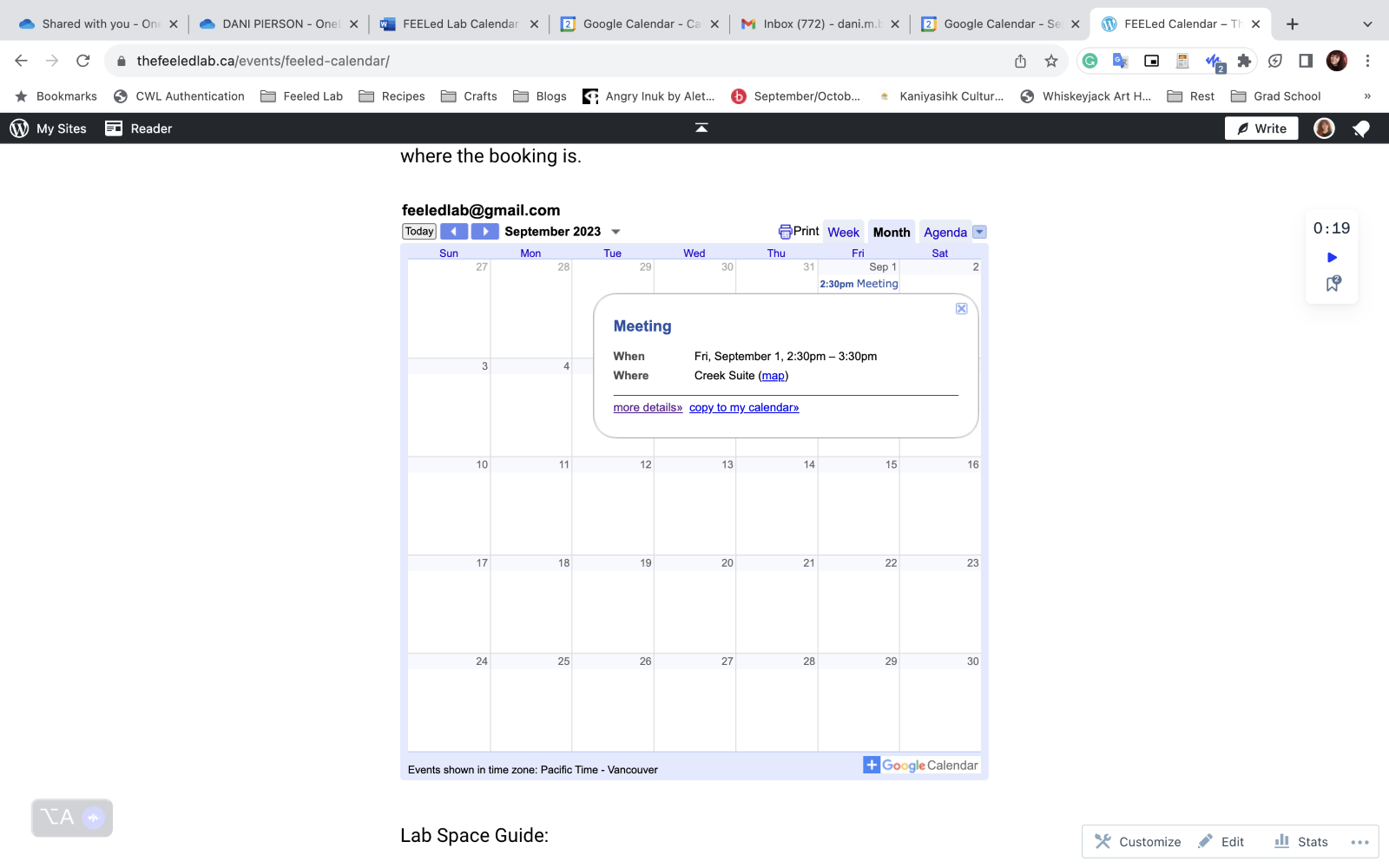
This is how bookings appear on our website:
Calendar Courtesies:
- Please do not edit or delete other Lab members entries
- Please show up for your bookings or delete them if no longer needed
- Spaces can be booked day of if not in use, so please always book spaces you intend to use
- We like to leave the kitchen open for shared lunch use between 12-1
- Additionally, as these are shared spaces, people may access coffee and tea in the kitchen
 The FEELed lab